Before the Unexpected: A One-Hour Backup Plan for Home and Office Support
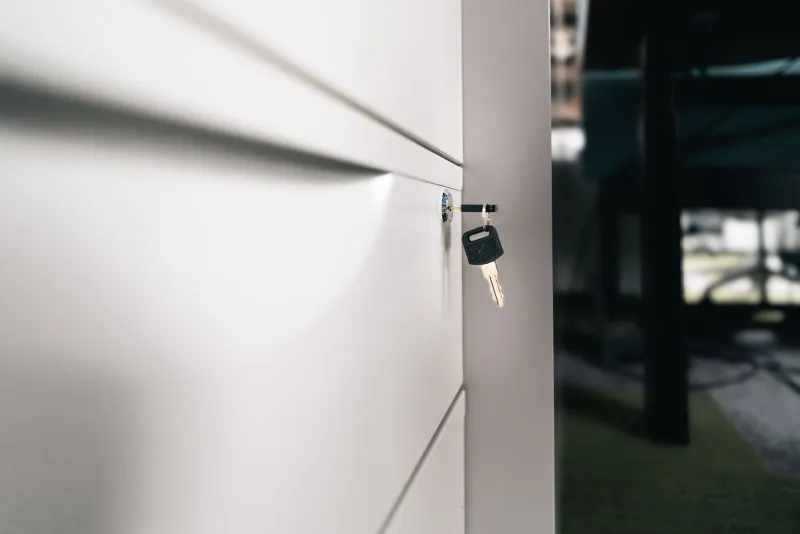
Most support visits go to plan. The keyholder turns up, the alarm behaves, the cleaner finds the stopcock, and everyone gets on with their day. The tricky bits tend to appear when one small thing goes wrong at the wrong moment: a lost key, a flat phone battery, a contractor who cannot get in, or a neighbour who is unexpectedly away.
You do not need a dramatic contingency plan for that. You need a small, memorable system that someone can follow when they are slightly stressed and standing in a doorway. I call it the three-two-one backup plan: three trusted contacts, two access routes, and one shared page. It takes about 45 minutes to set up and ten minutes a quarter to keep tidy.
Why a small plan beats a big promise
Big promises are easy to make and hard to test. A small plan is different. You can check it, share it, and improve it without holding a meeting. It also works across the boring middle ground of home and office life: a household going on holiday, a landlord arranging a repair, or a small team booking a deep clean before a busy week.
The aim is not to plan for every disaster. It is to make sure a normal hiccup does not turn into a wasted visit or a stressed phone call.
Three contacts: the people who can actually say yes
Start with three named people, not a list of ten maybes. The first is your main contact: the person who normally handles access, questions, or sign-off. The second is a backup who knows they are a backup. The third is a practical contact who can help if the first two are unavailable.
For a household, that might be you, a neighbour who already holds a spare key, and a family member who can authorise a locksmith or a repair. For a landlord, it could be you, the letting agent, and a trusted contractor who knows the building. For a small team, it might be the office manager, the building manager, and a director who can approve unexpected costs.
The important part is consent. Ask each person before you add them to the page. A surprised contact is not a reliable contact.
Two access routes: never rely on a single key or code
One route in is convenient. Two routes in is sensible. That might be a key safe plus a neighbour with a spare, a digital lock code plus a building concierge, or a fob plus a named person on site.
Keep the routes genuinely separate. Two keys on the same bunch, or two codes that only work on the same broken lock, are not really two routes. Also think about security. Do not label keys with the address. Change codes after a tenancy ends or a team member leaves. If you use a key safe, check the battery and the code every few months, not just when someone is stuck outside in the rain.
The shared page can say who holds the routes, but it should not list full alarm codes or passwords. Keep the sensitive details with the named people and note only where they are held.
One shared page: the note that answers the boring questions
The third piece is a single page that everyone can see. It can be a shared document, a printed sheet in the kitchen drawer, or a note pinned in the office cupboard. The format matters less than the habit of keeping it in one place.
Useful entries include:
- The three contacts and their preferred phone numbers.
- Who holds which key, fob or code, without writing the code itself.
- Parking notes, bin day, and any access restrictions.
- Pets, alarms, or quirks such as a door that needs lifting to close.
- Where the stopcock, fuse box, and meter cupboard are.
- Who to call for a leak, a lockout, or a broken appliance.
- The date the page was last checked.
Keep it short enough to read in two minutes. A page that needs a table of contents will not get used.
The 45-minute setup
Here is a simple way to do it without turning it into a project.
Minutes 0-10: Write down the three names. Check that each person is happy to be listed.
Minutes 10-25: Confirm your two access routes. Test them if you can. Make sure the backup route does not depend on the main route working.
Minutes 25-35: Create the shared page. Add the contacts, access notes, and the practical quirks of the property.
Minutes 35-45: Share it with the three contacts. Ask one of them to read it back to you or find a piece of information. If they cannot, simplify it.
That is it. No app required. No colour-coded binder. Just a plan that someone else can follow.
What it looks like in real life
A household
A family going away for a week lists a neighbour, a grandparent, and a plumber as their three contacts. The two access routes are a key safe and the neighbour's spare key. The shared page notes the bin day, the cat's hiding places, and the fact that the back door sticks in cold weather. When a delivery arrives early, the neighbour can help without a group chat.
A landlord
A landlord lists themselves, the letting agent, and a contractor. The two access routes are a key safe for the contractor and the agent's office key. The shared page says which contractor covers leaks and who can approve work up to a set amount. If a tenant reports a problem on a Friday afternoon, the agent does not have to start from scratch.
A small team
An office manager lists themselves, the building manager, and a director. The two access routes are the office fob and the building's reception desk. The shared page covers parking, the alarm contact, the location of the first-aid kit, and who signs off emergency repairs. When the office manager is off sick, the cleaner still gets in and the IT contractor still knows who to ask for.
The ten-minute quarterly check
Put a reminder in your diary every three months. Ring or message the three contacts to check their numbers are still right. Test the backup access route. Update the page if someone moves, changes role, or hands back a key. Change any codes that need changing. Then write the new date on the page.
That small habit is what keeps the plan alive. A backup plan that nobody checks is just a nice idea in a drawer.
The point is not perfection
The three-two-one approach will not stop every surprise. It will, however, stop the most common ones from becoming a saga. Three contacts, two ways in, one shared page: simple enough to remember, practical enough to use, and quick enough to set up before you actually need it.